

Every guide on how to build an AI agent starts with a Python tutorial. This one does not, because the person who actually decides whether to build an AI agent — and what it should do — is almost never the person who writes the Python.
You are a founder, a business owner, a director, or an operator. You need to understand what an AI agent actually is, how it works, what decisions need to be made before a developer touches a keyboard, and what path makes sense for your situation. This guide gives you all of that — in plain English, with no code.
By the end, you will know exactly what your agent needs to do, what components it requires, what build path fits your complexity level, and what your specific role is in the process — whether you build it yourself with no-code tools, commission a developer, or hire a specialist AI agent development company.
Business owners, founders, and operators who want to build or commission an AI agent but are not developers. Over 73% of enterprises are actively investing in agentic AI systems in 2026. This guide helps the people running those enterprises make the right decisions before anyone writes a line of code.
The Difference Between an AI Agent and a Chatbot (Why It Matters for What You’re About to Build)
Before you build anything, you need to know which category your project falls into — because the build process, the cost, and the timeline are fundamentally different.
A chatbot answers a question. You ask it something, it generates an answer, the conversation ends. It is reactive. You drive every exchange.
An AI agent completes a job. You give it a goal. It reasons about what needs to happen, decides what to do next, uses its tools to take action, checks the result, decides what to do after that, and continues until the goal is achieved — or it escalates to you when it gets stuck.
The practical difference: a customer support chatbot tells a customer what their order status is. An AI agent reads the order system, sees the shipment is delayed by 5 days, proactively drafts a personalised email to the customer explaining the delay and offering a discount code, sends it, logs the action in the CRM, schedules a follow-up check for tomorrow, and flags the case for a human review only if the customer replies with a complaint — all without being prompted at each step.
Same underlying technology. Completely different category of work. If your goal is the second type of outcome, you are building an agent — not a chatbot — and the steps below apply to you.
The 4 Core Components of Every AI Agent
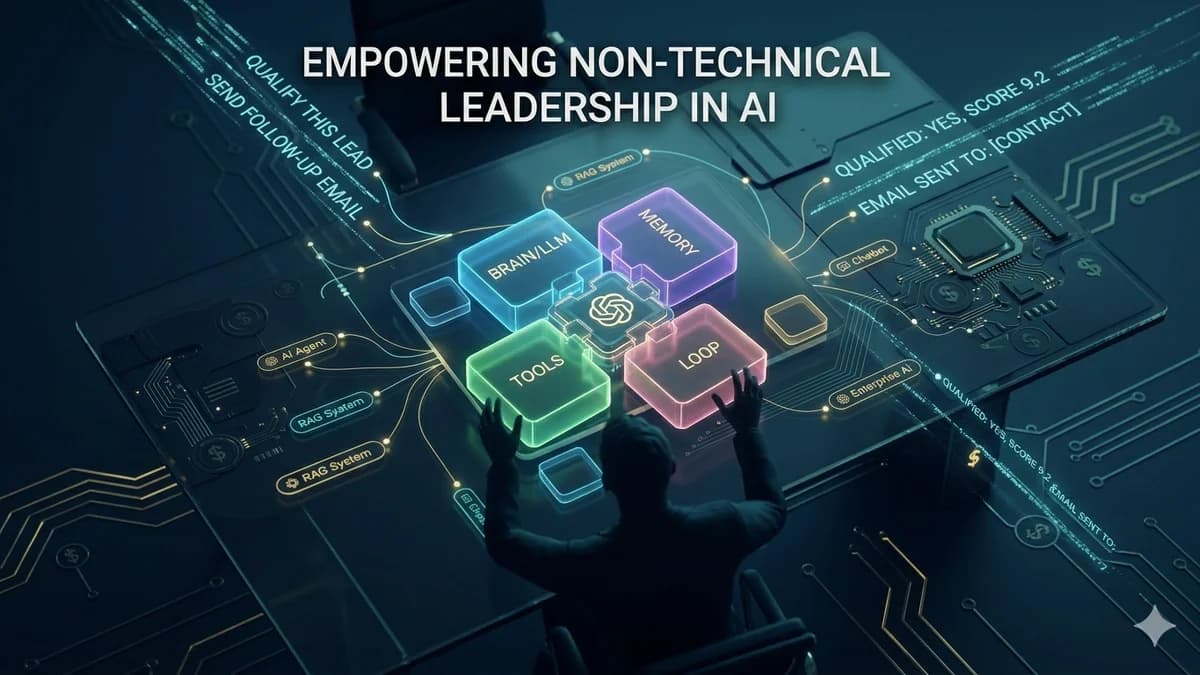
Every AI agent — from the simplest single-task automation to an enterprise multi-agent system — is built from the same four components. Understanding these before you commission or build anything is the most important preparation you can do.
The Reasoning Core (LLM)
The large language model is the agent's brain. It reads instructions and context, reasons about what to do next, decides which tool to use, and generates the outputs. This is the part that makes the agent intelligent rather than a simple if-then rule system.
In plain terms: if the agent were a human employee, the LLM is their judgment and communication ability.
Memory
Short-term memory holds the context of what has happened in the current task — what the agent has done, what results it got, what it is trying to achieve. Without it, the agent forgets what it just did.
Long-term memory is your business knowledge — product information, policies, customer history, SOPs — that the agent retrieves to answer questions accurately. This is typically built as a RAG (Retrieval-Augmented Generation) system.
Tools (Actions)
Tools are the actions the agent can take in the world. Each tool is a capability: read from your CRM, send an email, search the web, create a calendar event, look up an order, generate a document, send a Slack message. The agent decides which tool to use and when, based on its goal.
Every tool you add expands what the agent can do — and adds integration work and potential failure points to manage.
The Orchestration Loop
The loop is the logic that governs how the agent decides what to do next after taking an action. It receives the tool's result, decides whether the goal has been achieved, and either takes another action, declares success, or escalates to a human. This is where most of the subtle bugs live — and what most tutorial guides underestimate.
A poorly designed loop leads to infinite loops, premature stops, or missed escalations in production.
How Your AI Agent Will Think: The ReAct Loop in Plain English
The most widely used AI agent architecture in 2026 is called the ReAct pattern — short for Reasoning + Acting. You do not need to understand the code, but understanding the loop helps you design your agent’s task scope correctly.
In practice: your lead qualification agent receives a new lead (Goal). It decides the first step is to look up the lead’s company on LinkedIn (Reason). It calls the LinkedIn lookup tool (Act). It reads the company size and industry (Observe). It decides the company qualifies and the next step is to check if they are already in the CRM (back to Reason). It queries the CRM (Act). It finds no record (Observe). It decides to create a CRM entry and draft an outreach email (Reason → Act). It sends the email and marks the task complete (Done).
That entire sequence runs without your involvement. That is what makes it an agent.
Choosing Your Build Path: No-Code vs Low-Code vs Custom Development
Before you design the agent’s capabilities, you need to know which path you are taking — because this determines what is possible, what it will cost, and how long it will take.
The honest rule: start with no-code tools if your task is simple, standard, and uses APIs that Make and Zapier already support. Move to custom development when your task requires complex reasoning, proprietary data access, non-standard integrations, or reliability standards that no-code platforms cannot guarantee. The performance gap between no-code and custom development grows significantly as complexity increases.
Not sure which build path fits your AI agent idea?
Automely scopes AI agent projects every week. Book a free 45-minute call and we’ll tell you exactly which path makes sense — no-code, low-code, or custom — and what it will cost.
7 Steps to Build Your AI Agent — In Business Language
This is the complete build process, explained for someone who will either be building it with no-code tools or briefing a development team to build it for them.
Define the Agent's Single, Specific Goal
The most common mistake is defining the goal too broadly. "Handle our sales process" is not a goal — it is a department. A well-defined agent goal has a specific trigger (what starts the agent), a specific output (what the agent produces), and a specific success condition (how you know it is done).
Good examples: "When a new lead is added to the CRM, qualify them by checking company size and industry, then either move them to 'Qualified' pipeline or tag them 'Disqualified' with a reason." Or: "Each weekday at 6 AM, read all support tickets opened in the last 24 hours, categorise each by type, draft a suggested response, and assign each ticket to the correct team queue."
Map the Agent's Tools — Every Action It Needs to Take
List every action the agent needs to perform in order to complete its goal. Each action is a tool. Be specific: not "access the CRM" but "read a contact record from HubSpot by email address" and "update the lifecycle stage field on a HubSpot contact." These are two different tool calls with different integration requirements.
For each tool, note: what system it needs to access, what data it needs to read or write, and whether that system has a documented API. Systems without a public API require custom integration work — which adds time and cost.
Design the Memory Your Agent Needs
Decide what your agent needs to remember. For a simple task agent — no persistent memory needed, just session context. For an agent that answers questions about your business — you need a long-term knowledge base containing your product documentation, policies, or customer history, structured as a RAG system.
Ask: does your agent need to remember what it has done in previous sessions? Does it need to know facts specific to your business that are not in its general training? If yes to either, you need persistent memory architecture, which adds complexity and is where a developer earns their fee.
Choose Your LLM (The Agent's Reasoning Engine)
For most business agent projects, this choice is made by your developer based on the agent's requirements. But as the business owner, you should understand the tradeoffs: GPT-4o and Claude Sonnet are the strongest for complex multi-step reasoning. GPT-4o-mini and Claude Haiku are faster and cheaper for high-volume, simpler tasks. Gemini Flash offers strong performance with large context windows for document-heavy applications.
Critically: model selection has direct cost implications. Using GPT-4o for a task that GPT-4o-mini handles equally well can multiply your monthly running costs by 5–10x. A good developer will match model to task — if a proposed solution uses the largest model for every task, ask why.
Define the Escalation Rules — When the Agent Should Stop and Ask a Human
Every production AI agent needs clear escalation rules. These are the conditions under which the agent stops trying to handle the task autonomously and hands it to a human. Without these, the agent either loops indefinitely trying to handle something it cannot, or takes an action it should not.
Define: what types of decisions are too important for the agent to make autonomously? What threshold of confidence should trigger a human review? What happens when a tool call fails three times in a row? What is the maximum value of a transaction the agent can execute without approval?
Define Acceptance Criteria — How You Will Know It Works
Before development begins, you need to know what "done" looks like. For an AI agent, "done" is never binary — it is a quality threshold. Define: what percentage of tasks should the agent complete correctly without human intervention? What is the acceptable error rate? What response time is acceptable? How will you test these criteria before go-live?
This is the step most business owners skip — and it is what causes the most disputes at project completion. "The agent works" is not an acceptance criterion. "The agent correctly qualifies 90% of leads when tested against the last 200 leads in our CRM" is an acceptance criterion.
Plan the Post-Launch Iteration Cycle
The first deployment of any AI agent will reveal behaviours you did not anticipate. Real users and real data produce inputs that test inputs never cover. Plan for a 4–6 week post-launch period where the agent is monitored, failure cases are collected, and the prompt architecture or tool logic is adjusted based on observed performance.
Budget for this explicitly — it is not a sign of poor development, it is the engineering reality of production AI systems. The agents that deliver strong ROI are the ones that get iterated on for 2–3 cycles post-launch, not the ones treated as "delivered and done."
Your Role as the Non-Developer — What You Own in This Process
The most common failure mode in AI agent projects commissioned by non-technical business owners is passivity — assuming that handing the brief to a developer means their job is done. The non-developer owns several critical inputs that no developer can substitute:
- The goal definition. Only you know what the agent needs to achieve for your business. A developer can build anything — but they cannot decide what to build.
- The business data. Your documents, policies, customer data, and SOPs are the content that goes into the agent's long-term memory. Data quality is the most important variable in agent output quality, and you own the data.
- The escalation thresholds. Decisions about which actions the agent should not take autonomously are business decisions, not technical decisions. You own these guardrails.
- The acceptance criteria. What counts as the agent performing acceptably is a business judgment call. Developers can tell you what they built — you tell them whether it meets your standard.
- Post-launch feedback. Systematic collection of cases where the agent behaved unexpectedly is the fastest way to improve agent performance. This requires business context that only you have.
Business owners who are deeply involved in steps 1, 2, 3, 5, and 6 of the build process — providing precise goals, tool maps, data, escalation rules, and acceptance criteria — consistently get better agents than those who hand over a vague brief and wait for delivery. Your domain knowledge is the most important ingredient in a great AI agent. Show up with it.
5 Mistakes Non-Developers Make When Building or Commissioning AI Agents
Defining the goal as a category rather than a task
"Build me a sales AI agent" is a category. "Build an agent that reads new leads from our HubSpot pipeline each morning, checks each company's LinkedIn page for employee count and industry, and either moves them to the Active Outreach stage or tags them as Unqualified with a reason" is a task. Vague goals produce vague agents that do not reliably do what you imagined.
Assuming no-code tools scale to production complexity
No-code platforms like Make and Zapier are genuinely excellent for simple, standard agents. They hit hard limitations when agents need complex conditional reasoning, custom error handling, proprietary data access outside their integration library, or guaranteed uptime and reliability. Starting with no-code and then needing a complete rebuild at complexity scale is a common and expensive path.
Providing disorganised or incomplete data for the knowledge base
For agents that need to answer questions about your business, the knowledge base is built from your data. Providing a collection of inconsistent documents, outdated PDFs, and unstructured spreadsheets produces a knowledge base with poor retrieval quality. The agent answers as well as the data allows — and no developer can fix messy data through clever engineering.
Skipping the escalation design — assuming the agent handles everything
An agent without explicit escalation rules will either loop indefinitely when it hits something it cannot handle, or make a decision it should not make autonomously. Both failure modes are preventable. "Never process refunds over $500 without human approval" is a simple rule that takes 5 minutes to define and saves potentially significant financial exposure.
Treating the first deployment as the finished product
The first deployment of an AI agent is not the finished product — it is the first iteration. Real usage reveals edge cases, unexpected inputs, and failure patterns that test inputs cannot replicate. Business owners who allocate budget and management attention for 4–6 post-launch iteration weeks consistently end up with better-performing agents than those who declare the project complete at go-live.
Build It Yourself or Commission It? The Honest Decision Framework
Build it yourself with no-code tools when: the task is simple and has a single clear output, all the integrations you need are in Make or Zapier’s standard library, you can live with the reliability ceiling of no-code platforms, and the cost of the platform fees plus your time to build and maintain is lower than the cost of commissioning a developer.
Commission a specialist AI developer or agency when: the task requires complex reasoning across multiple steps, your integrations include non-standard APIs or proprietary business systems, you need production-grade reliability with monitoring and incident response, you want full IP ownership of a custom system rather than platform-dependent infrastructure, or your time is worth more than spending it learning to configure agent logic.
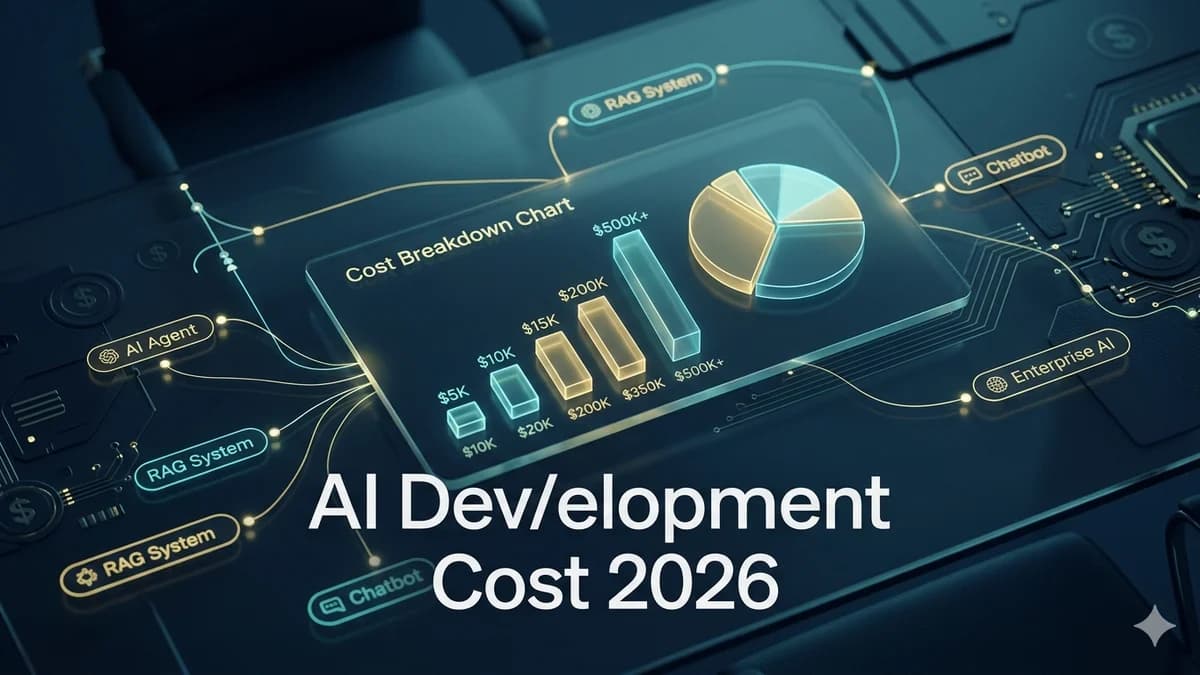
The economics are clear at the complexity level where custom development is appropriate: a properly scoped AI agent development project typically pays back its build cost in 4–8 months through measurable business impact. A no-code agent that is the wrong tool for the job delivers neither production reliability nor meaningful payback. For a full cost picture, see our AI development cost guide.
Build Your AI Agent with Automely
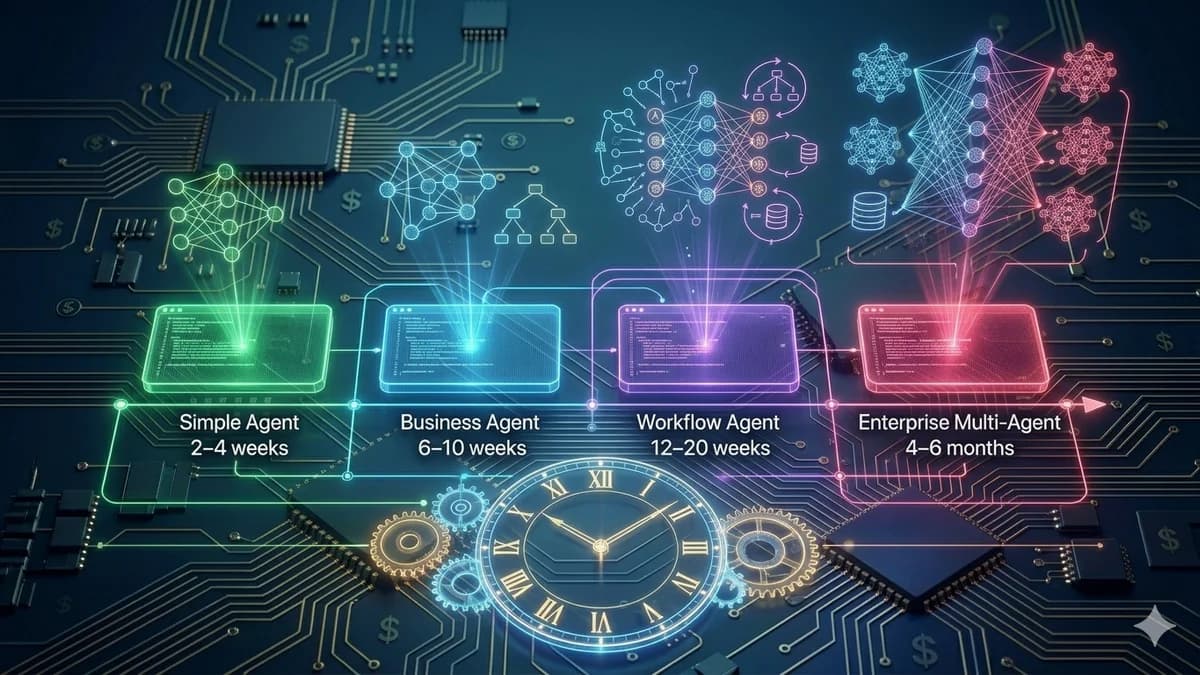
Automely’s AI agent development service is built specifically for business owners and founders who know what outcome they want but need a specialist technical team to build it to production standard. We have shipped voice ordering agents (7 weeks), lead qualification agents (11 weeks), multi-channel communication agents (14 weeks), and enterprise workflow automation systems — all with full IP assignment and client-owned infrastructure.
Our process starts with a structured discovery session that walks through exactly the seven steps above — goal definition, tool mapping, data assessment, memory architecture, escalation rules, acceptance criteria, and post-launch plan — before a single line of code is written. The output of that session is a technical specification that you own, that any developer can build against, and that removes the ambiguity that causes most commissioning projects to go sideways.
If you complete steps 1–6 of this guide before booking a call with us, we will be able to give you an accurate scope, timeline, and cost estimate in the first 45 minutes. Explore our case studies, read client testimonials, and browse our full range of AI services including generative AI development, AI chatbot development, and AI integration services.
Ready to commission your AI agent with a team that has shipped production systems?
Book a free 45-minute call. Come with your goal, your tool list, and your escalation rules. We will scope it, price it, and give you a timeline — before you commit anything.