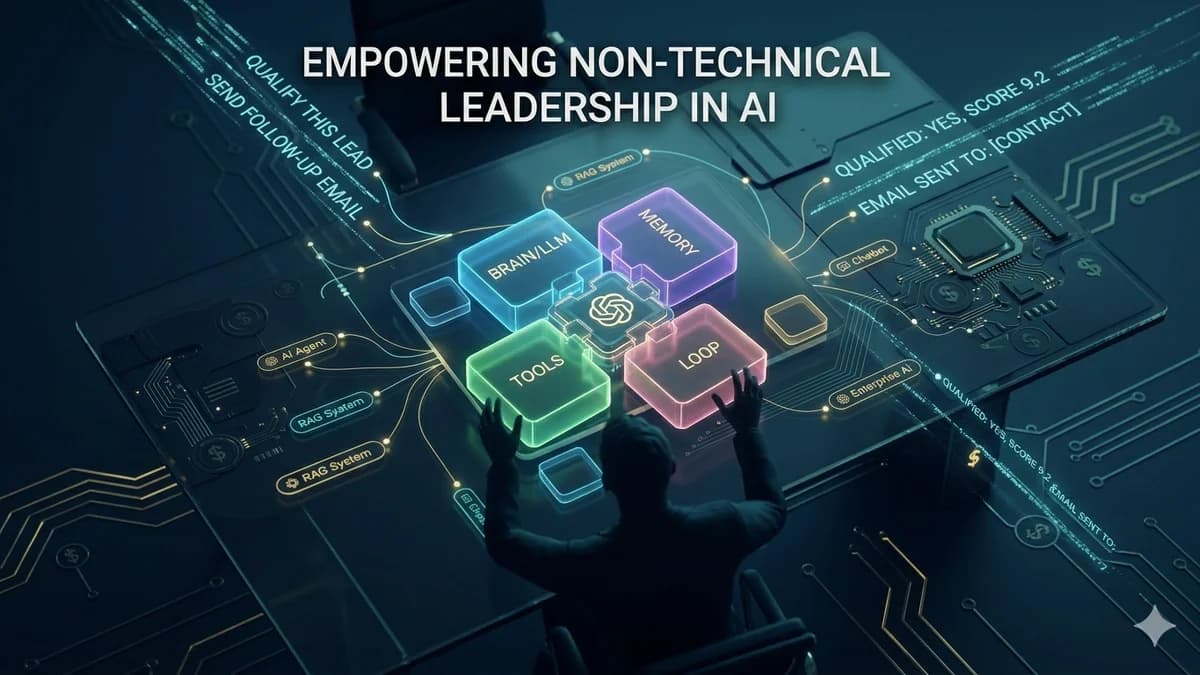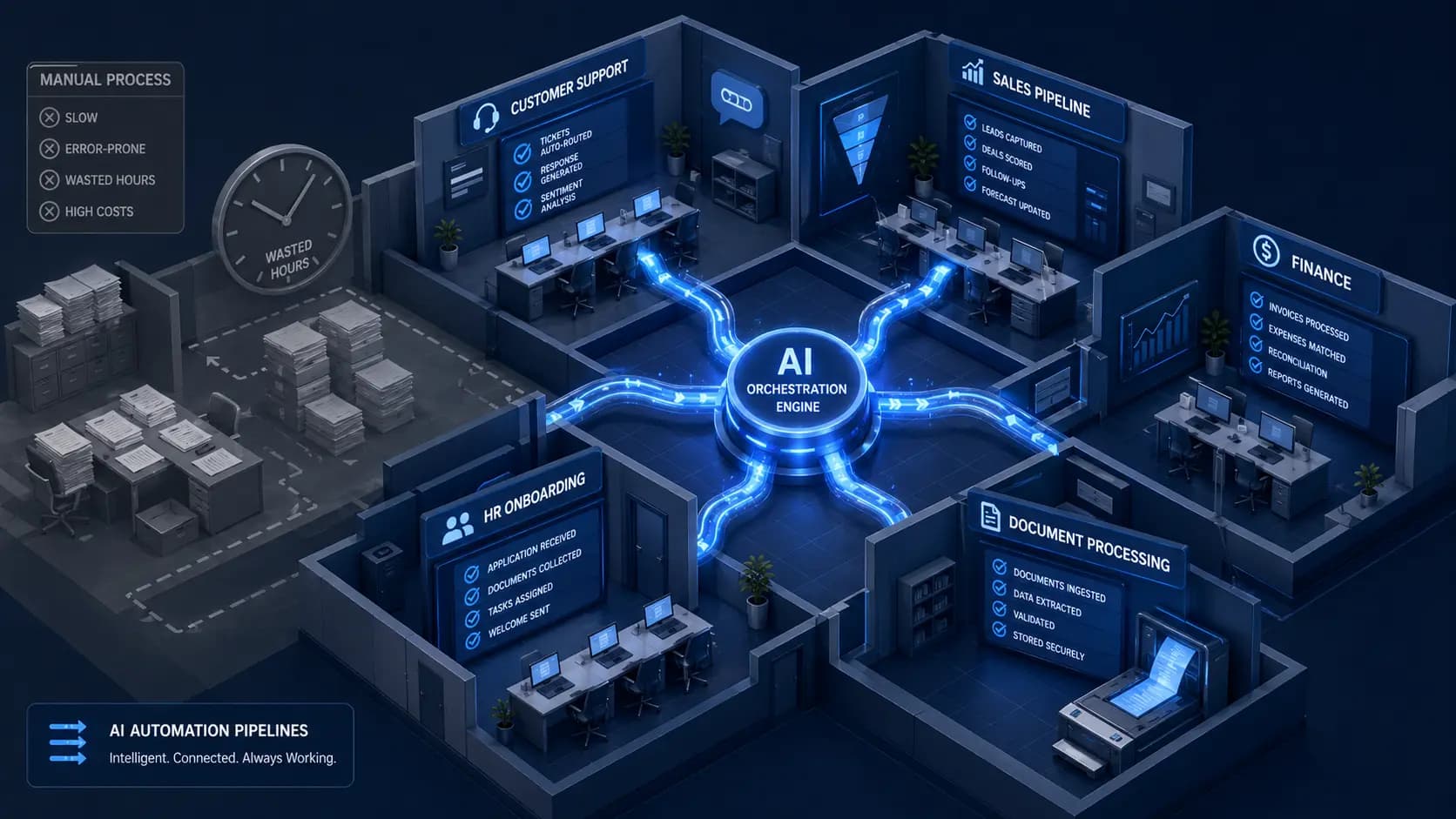


The question “how to create an AI model for your business” conjures an image most businesses cannot afford: a team of PhDs training a neural network on GPU clusters, working through months of experimentation before anything useful emerges. That image is not entirely wrong — it is just from 2019.
In 2026, creating a business AI model looks dramatically different. Gartner projects that 80% of new AI projects will adopt out-of-the-box solutions requiring minimal data science expertise. The five most capable general-purpose AI models in the world are available via API. AutoML platforms let business analysts train predictive models without writing code. Transfer learning means a pre-trained model can be adapted to your specific domain with hundreds of examples rather than millions.
The question to ask is no longer “how do I train an AI model?” It is “which of the five available paths — from simplest to most complex — is right for what my business needs?” This guide walks you through all five, helps you choose the right one, and tells you what data you actually need to get started.
Most businesses that think they need to train an AI model actually need to deploy one. Training means teaching a model from raw data — expensive, complex, and rarely the right path. Deploying means configuring an already-trained world-class model to solve your specific problem. For the vast majority of business AI use cases in 2026, deployment wins on cost, speed, and often on quality. This guide will show you exactly when each approach applies.
The 2026 Reframe: Training vs Deploying an AI Model
Before choosing a path, you need to understand what you are actually trying to do — because most business AI projects are best served by a path that is not “train a model from scratch,” even though that is what most people imagine when they hear “create an AI model.”
Training an AI model from scratch means using data to teach a neural network to perform a task. It requires: massive labelled datasets (typically millions of high-quality examples), GPU compute infrastructure ($50,000–$500,000+ in training costs for meaningful models), specialised ML engineering expertise, and months of experimentation, evaluation, and iteration. The world's best general-purpose AI models took years and hundreds of millions of dollars to train.
Deploying an AI model means taking an already-trained world-class model and configuring it to solve your specific business problem. You add your business data through a RAG knowledge base, adjust its behaviour through prompt engineering, connect it to your systems through an API, and deploy it. The model's underlying intelligence is already there — GPT-4, Claude Sonnet, and Gemini Pro are more capable than anything a business could afford to train from scratch in most cases. You are configuring and specialising that capability, not building it from zero.
The honest answer for 95%+ of business AI use cases: deployment is the right path. The exceptions are narrow — tasks where general-purpose foundation models consistently underperform after optimisation, extremely domain-specific domains with large proprietary training datasets, and scenarios where data privacy prevents using external APIs. These cases exist, but they are not the norm, and this guide will help you diagnose whether you are genuinely in one of them.
The 4 Types of AI Models Businesses Actually Need
Forget the academic taxonomy of supervised, unsupervised, and reinforcement learning. For business purposes, AI models fall into four outcome categories. Knowing which category your need falls into points you directly to the right build path.
Predict
Uses historical data to forecast future outcomes. The data must include past examples of the outcome you want to predict alongside the inputs that preceded it.
Classify
Assigns inputs to predefined categories. Foundation models (via API) handle text classification with minimal setup. AutoML handles structured data classification.
Generate
Creates text, code, images, or other content based on instructions. Foundation model APIs (GPT-4, Claude) handle this with prompt engineering. Adding your data requires RAG.
Retrieve & Answer
Retrieves relevant information from your specific knowledge base and generates an accurate, grounded answer. The primary technique is RAG — your documents become the model's knowledge source.
Data Readiness Audit — Do This Before Choosing a Path
Data is the prerequisite that most businesses skip evaluating — and the one that most frequently surprises them mid-project. The data you have determines which paths are available to you and how long the preparation phase will be. Before committing to any build path, audit your data against these criteria:
Data Readiness Checklist
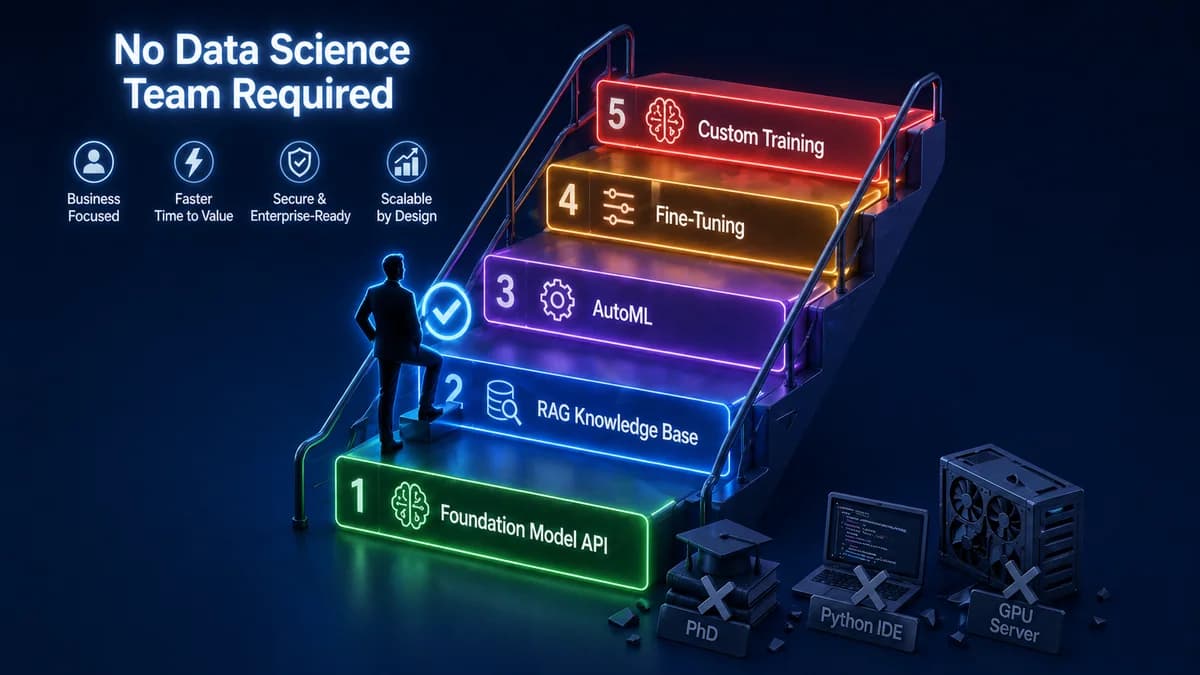
The 5 Paths to Creating an AI Model — From Easiest to Most Complex
Foundation Model API — Prompt Engineering
Call an existing foundation model API (OpenAI GPT-4o, Anthropic Claude, Google Gemini) with a well-designed system prompt and your inputs. The model generates outputs based on its general training. No custom model. No data preparation. No infrastructure beyond an API key and a backend to make the call.
This path works immediately for: classifying text into categories, drafting content in a specific style, summarising documents, answering general questions, extracting structured data from unstructured text. The limitation is that the model only knows what it was trained on — it cannot answer questions about your specific products, policies, or customer history without additional data access.
RAG Knowledge Base — Foundation Model + Your Data
Retrieval-Augmented Generation (RAG) adds your specific business knowledge to a foundation model without training. Your documents (product manuals, policies, FAQs, historical tickets, case notes) are processed, embedded into a vector database, and retrieved in real time when a query arrives — so the model answers from your specific data rather than general training knowledge.
This is the right path for the majority of business "knowledge AI" use cases: customer-facing Q&A bots that answer accurately from your documentation, internal knowledge assistants that find information across your systems, support agents that know your specific products and policies. The knowledge base is updated by adding new documents — no model retraining required. This is faster, cheaper, and often more accurate for knowledge tasks than fine-tuning or custom training.
AutoML — Train a Predictive Model Without Code
AutoML (Automated Machine Learning) platforms automate the data science workflow — data preprocessing, feature engineering, model selection, and hyperparameter tuning — so that business analysts can train predictive models on their structured historical data without ML expertise. Tools include Google Cloud AutoML, Microsoft Azure Machine Learning, Pecan AI (for business predictions), and DataRobot.
This is the right path when you need to predict outcomes from your historical data: customer churn, demand forecasting, lead scoring, fraud detection, or quality classification. The prerequisites are strict: you need labelled historical data (past examples with the outcome you want to predict clearly recorded), typically thousands of records at minimum, with consistent data quality. AutoML model quality is good but generally below what an expert ML team achieves — acceptable for many business use cases, insufficient for high-stakes applications.
Fine-Tuning — Adapt a Foundation Model to Your Domain
Fine-tuning continues training a pre-trained foundation model on your domain-specific labelled examples to improve its performance on a specific task. If GPT-4o-mini is fine-tuned on 10,000 examples of your customer support conversations, it becomes better at responding in your brand voice and resolving your specific support issues. It is what transfer learning enables — applying a model's existing knowledge to your specific domain with a fraction of the data needed to train from scratch.
Fine-tuning is appropriate when: prompt engineering and RAG have been fully optimised and still do not achieve acceptable performance, you have hundreds to tens of thousands of high-quality (input, ideal output) labelled examples, the task is specific enough that domain adaptation meaningfully improves performance over the general model. It is never the first step — it is the step you reach when Paths 1 and 2 have been exhausted. Requires an ML engineer to implement correctly.
Custom Training From Scratch
Training an AI model from scratch means initialising a neural network architecture and training it entirely on your own data, without starting from a pre-trained foundation. This is what companies like OpenAI and Anthropic did to build GPT-4 and Claude — and it costs tens to hundreds of millions of dollars at their scale. At a smaller scale, it still requires millions of high-quality training examples, GPU infrastructure, ML researchers, and months of work.
This path is genuinely appropriate only for: proprietary AI capabilities that no existing model approaches (rare), complete data privacy requirements that prevent any use of third-party infrastructure (government/defence), or domain-specific tasks where general-purpose foundation models fail dramatically even after fine-tuning. For almost every business AI use case, Path 1 or 2 with proper optimisation outperforms a custom-trained model at 5–50x lower cost. If a vendor recommends this path without first demonstrating that the simpler paths failed, ask them why.
Not sure which path is right for your AI model idea?
Automely's discovery process diagnoses which path fits your specific use case, data, and budget — before any development begins. Book a free 45-minute call.
Decision Framework — Which Path Is Right for Your Business?
Walk through these questions in order. Your first “yes” answer indicates your primary path.
5 Steps Every Path Must Follow
Regardless of which path you take, every business AI model build follows these five steps. Skipping any of them is the primary cause of AI projects that technically work but fail to deliver business value.
- Define the specific business outcome you need to change. Not “we want AI for marketing” but “we want to reduce the time our marketing team spends on first-draft content by 60%, freeing them for strategy.” The more specific the outcome, the more measurable the success, and the more appropriately scoped the AI solution.
- Audit your data and establish a quality baseline. Use the data readiness checklist above. Address quality issues before they compound into mid-project problems. If your data needs cleaning, account for 2–4 weeks before model development begins.
- Build a minimum viable version and test it against real inputs. For RAG: a basic knowledge base with your 20 most common document types, tested against 50 real user queries. For AutoML: a first model version tested against held-out historical data. Real inputs reveal failure modes that synthetic test cases miss entirely.
- Define and measure your acceptance criteria before signing off on any version. What accuracy rate, response quality threshold, latency limit, or prediction precision makes this model useful to your business? Define these before seeing any results — otherwise you will accept a system that sounds impressive but underperforms.
- Plan for maintenance from day one. RAG knowledge bases need updating as business information changes. AutoML models need retraining as data distributions shift. Fine-tuned models need retraining as tasks evolve. Build the maintenance plan — who, how often, at what cost — before launch, not after the first performance degradation incident.
5 Costly Mistakes Businesses Make When Creating AI Models
Starting with Path 5 when Path 2 would work
The most expensive mistake: commissioning custom AI model training when a foundation model plus RAG would outperform it at 10% of the cost. This happens when businesses confuse "having a custom AI model" with "having a good AI solution." A well-configured RAG system on GPT-4 typically beats a small custom-trained model for knowledge tasks — because GPT-4's underlying language understanding is dramatically more powerful than what a custom-trained model of affordable size can achieve.
Skipping the data audit and discovering quality issues mid-build
Data quality surprises are the most consistent source of project delays and budget overruns in AI development. Discovering mid-build that your historical data has systematic labelling errors (for AutoML), that your policy documents are contradictory (for RAG), or that key outcome data is missing (for predictive models) adds weeks to timelines that were planned without that work. Two weeks of data audit before development begins is the highest-ROI investment in any AI model project.
Fine-tuning before optimising prompt engineering
Fine-tuning is expensive, time-consuming, and produces a model that is harder to update than a well-prompting foundation model. In most cases, a carefully engineered prompt with few-shot examples achieves 80–90% of what fine-tuning achieves at 5% of the cost and time. Always exhaust prompt optimisation before committing to fine-tuning. If a vendor recommends fine-tuning without first building and optimising a prompted baseline, ask them to demonstrate the gap.
Confusing a demo with a production model
A RAG system that answers 30 test questions correctly is not a production AI model — it is a demo. Production requires handling thousands of varied, unexpected queries from real users, including edge cases, malformed inputs, and out-of-scope questions. The difference between a demo and production is the error handling, the fallback logic, the output validation, and the monitoring infrastructure. These add significant development time and cost that demo-based timelines do not account for.
No plan for keeping the AI current
A RAG knowledge base built on your product documentation becomes outdated the moment you update a product. An AutoML churn model trained on last year's customer behaviour becomes less accurate as customer patterns shift. AI models require active maintenance to stay useful — but most AI project budgets and plans treat launch as the endpoint. Plan the update cadence, assign ownership, and budget for it before you launch, not after the first performance degradation incident.
How Automely Helps You Create the Right AI Model for Your Business
Automely's generative AI development and AI integration services cover all five paths — but we are structured to start with the simplest path that meets your requirements, not the most technically complex one. We have never recommended custom training when RAG would work. We have never recommended fine-tuning when well-engineered prompting would suffice.
Our discovery process includes the data audit, the use case analysis, and the path selection — producing a technical recommendation and an accurate cost estimate before any development begins. We have shipped production AI systems across the capability spectrum: Lamblight (20,000+ users, $312K ARR) — a consumer AI application built on a foundation model with custom RAG and a fine-tuned personal voice layer — and Cerebra Caribbean — a multi-channel business communication AI handling 10,000+ conversations at 95% CSAT, built on a RAG knowledge system without any custom model training.
Both projects started with the simplest viable path and added complexity only where the simpler approach demonstrably fell short. That discipline — not building more than the business problem requires — is what produces AI systems that actually stay maintained, stay accurate, and deliver measurable ROI over time. Browse our case studies, read client testimonials, and explore our full portfolio of AI services including AI agent development, AI chatbot development, and AI SaaS development.
Know what you want your AI model to do — but not which path to take?
Book a free 45-minute call. We will run through the decision framework with you, audit your data readiness, recommend the right path, and give you an accurate cost and timeline estimate — before you commit to anything.