

According to McKinsey's most recent State of AI report, 78% of companies now use AI in at least one business function — up from 55% in 2023. But only 6% of those companies qualify as genuine AI high performers generating measurable EBIT impact. The other 94% are adopting AI without seeing meaningful returns.
That gap is almost never a technology problem. It is a strategy and implementation problem. Companies are automating the wrong workflows, automating them in the wrong sequence, and failing to measure whether the automation is working. Meanwhile, businesses that have deployed AI-powered business process automation strategically are saving an average of $150 billion per year in collective operational costs, according to Accenture research.
This guide gives you the practical framework for the 6% — which workflows to prioritise, how to assess your readiness, how to implement without disrupting operations, and how to measure whether it is working.
This is a strategy and implementation guide, not a tool list. You will leave knowing which of your business workflows to automate first, what sequence to implement in, which tools fit which complexity level, and how to measure ROI before and after automation. If you want the tool comparison, it is in Section 7.
Why 94% of Companies With AI See No EBIT Impact — And How to Be in the 6%
The difference between the 6% of AI high performers and the 94% who see no measurable return consistently comes down to four decisions made before any automation is built:
1. They automated the right workflows. The 6% started with processes where volume was high, quality variance was costly, and the inputs and outputs were already digital. The 94% started with whatever was most technically interesting or politically easy to automate — often low-volume, low-impact processes where the automation savings were marginal.
2. They measured a baseline first. The 6% measured the current process cost — hours per week, error rate, cycle time — before automating. This made the ROI calculable and the automation accountable. The 94% automated based on intuition about "efficiency gains" and had no way to verify whether the gain materialised.
3. They did not automate broken processes. The most consistent mistake in business workflow automation: automating a process that is already poorly designed. Automation scales what already exists. A broken manual process becomes a broken automated process running at 10x the speed. Fixing the process before automating it is not optional.
4. They planned the human reallocation. AI automation creates capacity — it does not automatically create value. A support team that handles 30% fewer tickets after automation only generates ROI if the freed capacity is directed toward higher-value work. The 6% planned this explicitly. The 94% assumed it would happen naturally.
AI Workflow Automation vs RPA — Why the Distinction Matters for Your Decision
Before choosing an automation approach, you need to understand where traditional robotic process automation (RPA) ends and AI-powered automation begins — because they solve fundamentally different problems.
RPA follows explicit, fixed rules. It works perfectly for completely structured, predictable processes: if the invoice number matches the purchase order, approve the payment. If the data is in column A, move it to column B. RPA breaks the moment inputs change format, edge cases appear, or context-dependent judgment is required.
AI workflow automation (also called Intelligent Process Automation or IPA when combined with AI) handles contextual judgment. It reads the invoice, assesses the vendor payment history, checks the cash flow forecast, and recommends whether to approve, negotiate extended terms, or escalate — with a reasoning explanation. It handles unstructured inputs (emails, documents, voice) that RPA cannot process.
The practical distinction for your decision: if your workflow is fully structured with no exceptions and no judgment required, RPA or simple no-code automation (Zapier, Make) is sufficient and faster to implement. If your workflow involves unstructured data, variable inputs, or contextual decision-making — you need AI automation, and the implementation is more complex but the capability ceiling is dramatically higher.
The 5 Business Workflow Categories With Consistently Highest Automation ROI
Not all business processes are equal candidates for AI automation. These five categories consistently produce the highest ROI because they share the right combination of volume, quality requirements, and available digital data.
Customer Communications & Support
High volume · Strong quality consistency requirement · Directly measurable cost
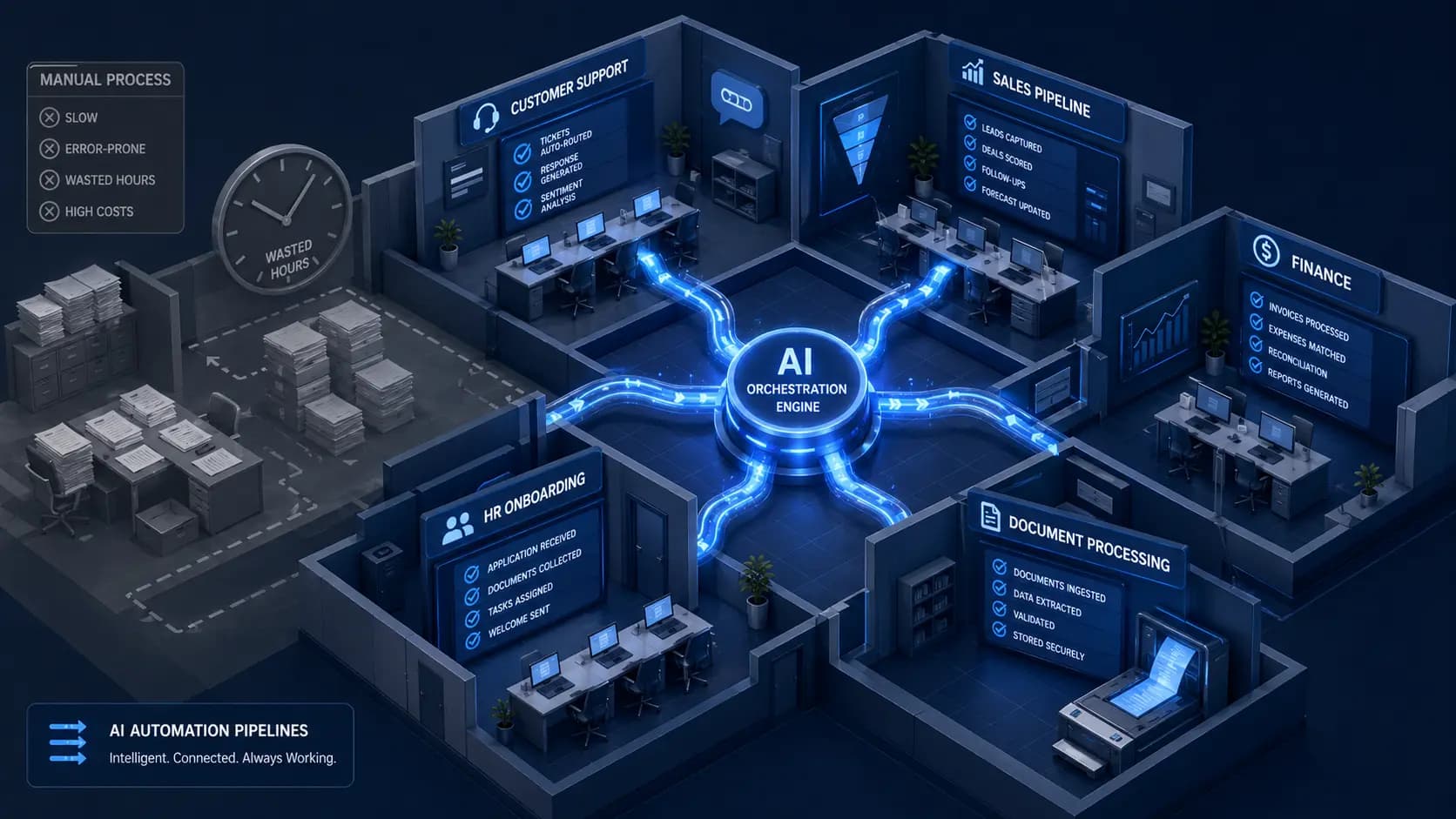
Customer support is the highest-volume target for AI workflow automation in most businesses, and the ROI case is the clearest to calculate: cost per ticket (staff time) versus cost per AI-resolved ticket (API fees plus development amortisation). The economics favour automation strongly at volume — the first-contact resolution rate for AI-handled tier-1 support typically ranges from 55–75%, and AI handles all supported channels simultaneously regardless of time zone.
Beyond cost reduction, the hidden ROI is in consistency. Human support quality varies by agent, by shift, and by the end of a long day. AI-automated responses are consistent, on-brand, and equally fast at 3 AM as they are at 11 AM. The measurable result is CSAT score improvement — which has revenue implications through reduced churn and higher lifetime value.
Sales Pipeline & Lead Management
High volume · Direct revenue impact · Measurable before & after
The typical B2B sales process contains enormous volumes of manual, low-judgment work that AI automates with higher consistency than any human team: lead qualification and scoring from inbound sources, CRM data entry from emails and calls, follow-up sequence triggering based on prospect behaviour, opportunity risk assessment and next-step recommendations, and personalised outreach generation based on prospect research.
The ROI impact in sales automation is twofold: cost reduction from automating manual tasks, and revenue uplift from more consistent follow-up and better-timed outreach. AI-driven sales automation typically reduces sales cycle length by 30–40% by ensuring the right message reaches the right prospect at the right time — something that scales poorly with manual effort. A sales team that manually follows up with 50 leads per week can manage 250 when their qualification, enrichment, and sequence triggering is automated.
Document Processing & Data Extraction
Very high volume · Error-critical · Often the biggest hidden cost centre
Document processing is one of the most underestimated automation opportunities in most businesses. The volume of documents that pass through operations — invoices, contracts, applications, reports, compliance forms — is typically larger than leadership realises, and the manual extraction, classification, and routing of information from those documents consumes significant staff time at consistently poor accuracy.
AI-powered document processing handles unstructured inputs that traditional RPA cannot: it reads a PDF invoice regardless of vendor formatting, extracts the relevant fields, validates them against your records, and routes exceptions for human review. It classifies an inbound email as a complaint versus an enquiry versus a cancellation request, and routes each to the appropriate workflow. Accuracy rates for AI document processing typically reach 90–97% on trained document types — well above the 85–92% accuracy rate of manual processing at scale.
Financial Operations & Reporting
Process-heavy · Error-critical · Revenue impact from dynamic optimisation
Finance is one of the most process-heavy functions in any business and one of the highest-value targets for intelligent process automation. Accounts payable and receivable workflows, expense classification, financial report generation, anomaly detection in transactions, and cash flow forecasting — all involve significant manual effort and benefit from AI's ability to identify patterns across large datasets that humans miss or process too slowly to act on.
Beyond efficiency, AI-powered financial automation generates revenue uplift through dynamic optimisation. Pricing models that update in real time based on demand, competitor signals, and margin targets outperform static pricing in virtually every market where dynamic demand exists. A hotel operator Automely worked with saw revenue grow from €9M to €10M in one year driven partly by AI dynamic pricing that the revenue team could not have maintained manually at the same granularity and frequency.
Employee Onboarding & HR Administration
Repeatable · High consistency requirement · Significant staff time hidden cost
Employee onboarding is a consistently high-volume, consistency-critical workflow in growing businesses that is almost always handled manually and inconsistently. New hire document collection, IT system provisioning requests, policy acknowledgements, training scheduling, 30/60/90-day check-in sequences, and benefits enrolment — all of these are repeatable workflows with defined inputs and outputs, making them strong automation candidates.
The ROI in HR automation comes from three sources: direct time savings for HR staff, faster time-to-productive for new employees (who get consistent, timely onboarding rather than the inconsistent experience most businesses deliver), and compliance risk reduction through systematic documentation and process tracking. Companies that automate their onboarding processes typically see new employee time-to-productivity reduce by 30–50 days.
Want to know which of your workflows to automate first?
Automely offers a free 45-minute workflow assessment call — we identify your three highest-ROI automation opportunities and give you a scoped timeline and cost estimate for each.
The Workflow Automation Readiness Matrix — Choosing What to Automate First
Every business has more automation opportunities than it has capacity to implement simultaneously. This matrix helps you prioritise by scoring candidate workflows across five criteria. Workflows that score highly on all five are your first automation targets.
| Criterion | Score 3 (Best) | Score 2 (Good) | Score 1 (Risky) |
|---|---|---|---|
| Volume | 50+ occurrences per week | 10–50 occurrences per week | Fewer than 10 per week |
| Time Cost | 30+ minutes of human time per occurrence | 10–30 minutes per occurrence | Under 10 minutes per occurrence |
| Quality Consistency Requirement | Errors are costly (financial, compliance, customer impact) | Errors are correctable with moderate rework | Low-stakes, easily corrected errors |
| Data Digitisation | All inputs and outputs are already digital and accessible via API | Mostly digital with some manual data entry | Significant paper or non-digital inputs |
| Process Stability | Well-documented, consistent, changes less than once per quarter | Mostly consistent with occasional variations | Frequently changing or poorly documented |
12–15 points: Automate immediately — this workflow will generate strong ROI and is technically straightforward to build. 8–11 points: Strong candidate — worth automating in the first wave with appropriate scoping. 5–7 points: Second-wave target — worth automating after the first wave delivers results and funds further investment. Under 5 points: Not yet ready — redesign the process before automating, increase digitisation, or reconsider priority.
What NOT to Automate — The Rules That Save Projects
Do not automate a broken process. If a workflow is inefficient, inconsistent, or poorly designed, automation does not fix it — it scales it. A broken manual approval process becomes a broken automated approval process running at 100x the speed. Document, stabilise, and streamline the process first, then automate. This is the most expensive mistake in business process automation.
Do not automate first conversations with high-value prospects. The first contact with a qualified enterprise prospect, a strategic partner, or a high-value client requires genuine human relationship judgment and contextual reading that AI cannot replicate reliably. Use AI to identify and prioritise these conversations, to brief the human making them, and to follow up after — but not to replace the conversation itself.
Do not automate processes with undefined success criteria. If you cannot define what a correct output looks like — and measure it in your manual process — you cannot verify whether the AI is doing it correctly. Before automating any workflow, define the measurable success criteria: X% of outputs meet quality threshold Y within timeframe Z. Without this, automation is unverifiable.
Do not automate low-volume processes purely for the automation's sake. A workflow that occurs 5 times per week at 20 minutes per occurrence represents 100 minutes of weekly cost — under £2,000 per year at typical fully-loaded rates. If automation costs £15,000 to build and £400/month to run, the payback period is over 3 years. The automation overhead exceeds the labour savings. Prioritise automation by economic impact, not by technical interest.
Do not automate sensitive escalation decision-making. Decisions about contract disputes, employee grievances, regulatory non-compliance, or high-value refund exceptions carry business and legal risk that requires human accountability. Use AI to surface, categorise, and brief the human decision-maker — not to make the decision autonomously.
The Implementation Framework — Sequencing Your Automation Correctly
Business workflow automation implemented as a big-bang project consistently underperforms automation implemented in defined phases. Each phase validates the approach, builds internal capability, and generates measurable results that fund and justify the next phase.
Phase 1 — Discovery and Prioritisation
Document the candidate workflows using the readiness matrix. Measure baselines for the top three: hours per week, cost per occurrence, error rate, and output volume. Define success criteria for each. Select the first automation based on highest readiness score combined with highest annual cost. Do not begin Phase 2 until this documentation is complete — it is the reference document for measuring whether automation is working.
Phase 2 — Pilot Automation (First Workflow)
Build and deploy the first automation on the highest-priority workflow. Run it in parallel with the manual process for 2–4 weeks before switching over, comparing outputs to verify quality. Measure performance against the baseline established in Phase 1. The goal is not a perfect system — it is a working system with clear performance data that validates the approach and funds Phase 3.
Phase 3 — Measure, Iterate, and Validate ROI
Track the performance of the first automation against baseline for 4–8 weeks post-launch. Collect the data: hours redirected, error rate before and after, output volume change, and any revenue impact from faster cycle times. Calculate the actual achieved ROI. This number — not the projected ROI from Phase 1 — is the business case for Phase 4. If the first automation does not deliver its projected ROI, diagnose and fix before expanding.
Phase 4 — Scale to Second and Third Workflow
Use the validated ROI from Phase 3 to justify and fund the second and third automation. These can proceed in parallel if the first automation has demonstrated the approach. By this phase, your team has learned from the first implementation — data preparation, acceptance criteria, post-launch monitoring — and the second and third automations typically take less time and deliver more reliably than the first.
AI Workflow Automation Tools by Complexity Level
Tool selection should follow complexity requirements — not personal familiarity or marketing spend. Here is the current landscape by automation complexity tier:
| Tool | Tier | Best For | Limitation |
|---|---|---|---|
| Zapier | No-Code | Simple trigger-action automation, standard app integrations (5,000+ apps), beginner-friendly | Limited conditional logic, high cost at volume, minimal AI capability |
| Make (Integromat) | No-Code | More complex multi-step automations with routing logic, stronger data manipulation than Zapier | Still primarily rule-based, limited contextual AI reasoning capability |
| n8n | Low-Code | Self-hosted, open-source, supports AI nodes, strong for data pipelines and webhook-based workflows | Requires technical setup for self-hosting, steeper learning curve than Zapier/Make |
| Gumloop | Low-Code | AI-native workflow builder with LLM nodes built in, strong for content and data processing workflows | Newer platform, limited enterprise integration depth versus established tools |
| LangChain + LangGraph | Custom Dev | Production AI agents with complex multi-step reasoning, memory, custom tool integration, RAG | Requires experienced AI developer team, not accessible without technical capability |
| Custom Python + APIs | Custom Dev | Enterprise-grade automation with proprietary system integrations, full control, maximum reliability | Highest build cost and technical overhead, requires ongoing engineering support |
The selection rule: start with the simplest tool that can do the job reliably. No-code tools are appropriate for workflows with standard integrations and simple logic. Custom development is warranted when: the workflow requires complex contextual AI reasoning, needs integration with proprietary or non-standard systems, or needs production-grade reliability standards that no-code platforms cannot guarantee.
Measuring AI Business Automation ROI — Before and After
The measurement framework is simple. The discipline to apply it before automation begins is where most businesses fail.
Before automation (baseline): hours per week spent on the workflow × fully-loaded hourly rate = weekly cost. Error rate × volume × cost per error = annual error cost. Maximum output volume at current staffing (the scaling ceiling). Time from trigger to output (cycle time).
After automation (measured at 30, 60, and 90 days post-launch): hours redirected (and specifically where they were redirected — this is the most important question). Error rate under AI automation. New output volume capacity. New cycle time. Monthly running cost of the automation (API fees, hosting, maintenance).
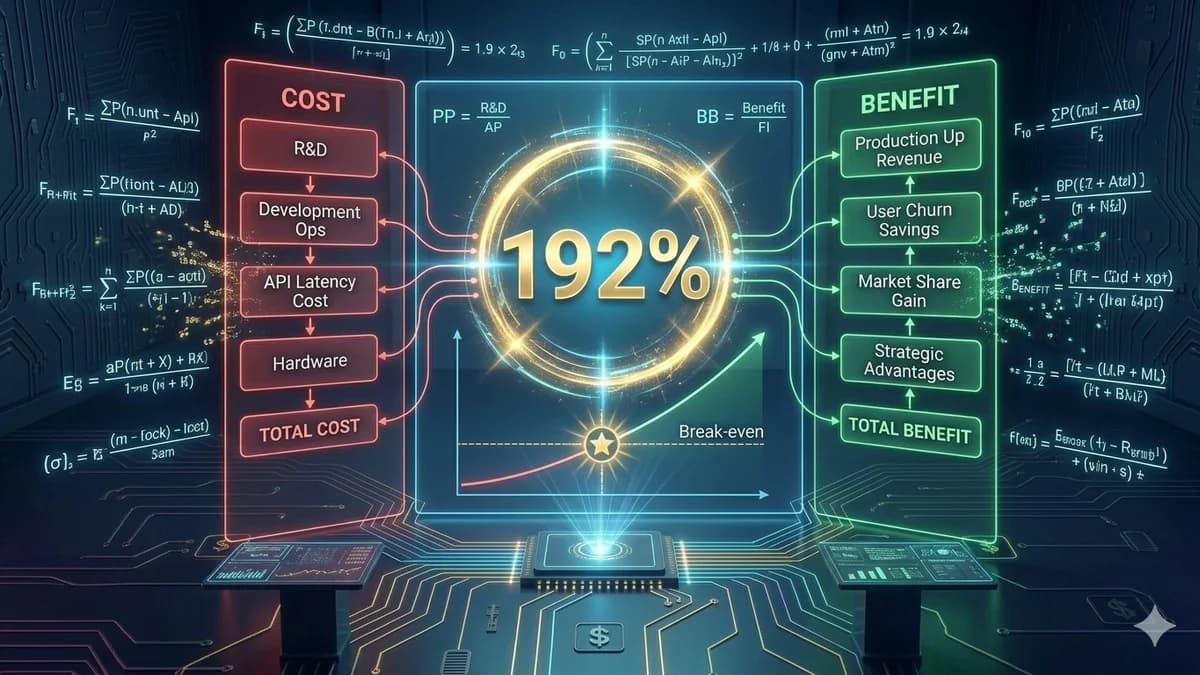
ROI calculation: [(Annual labour saving + Annual error cost reduction + Revenue impact) − Annual automation cost] / Total build cost × 100. A full worked example with two specific projects is in our AI development ROI guide.
The most common reason AI automation projects report disappointing ROI: time savings were documented but not actively managed. If a workflow automation frees 15 hours per week of staff time, and those 15 hours are informally absorbed into existing tasks without a specific plan, the ROI calculation on paper does not materialise in the P&L. Plan the reallocation before the automation goes live. Name the specific work those hours will be directed toward. Measure whether the redirection happened.
Automely's Business Workflow Automation Service
Automely's AI integration and automation service has shipped production workflow automation systems across lead qualification, customer communications, document processing, education session management, and financial operations — for clients across the US, UK, and EU.
Every engagement starts with a structured discovery session that walks through the readiness matrix, identifies the highest-ROI target workflow, establishes the measurement baseline, and produces a scoped implementation roadmap before any development begins. We do not build automations without a clear ROI case and measurement plan — because systems built without business justification are not maintained, and unmaintained AI systems silently degrade in quality until they are abandoned.
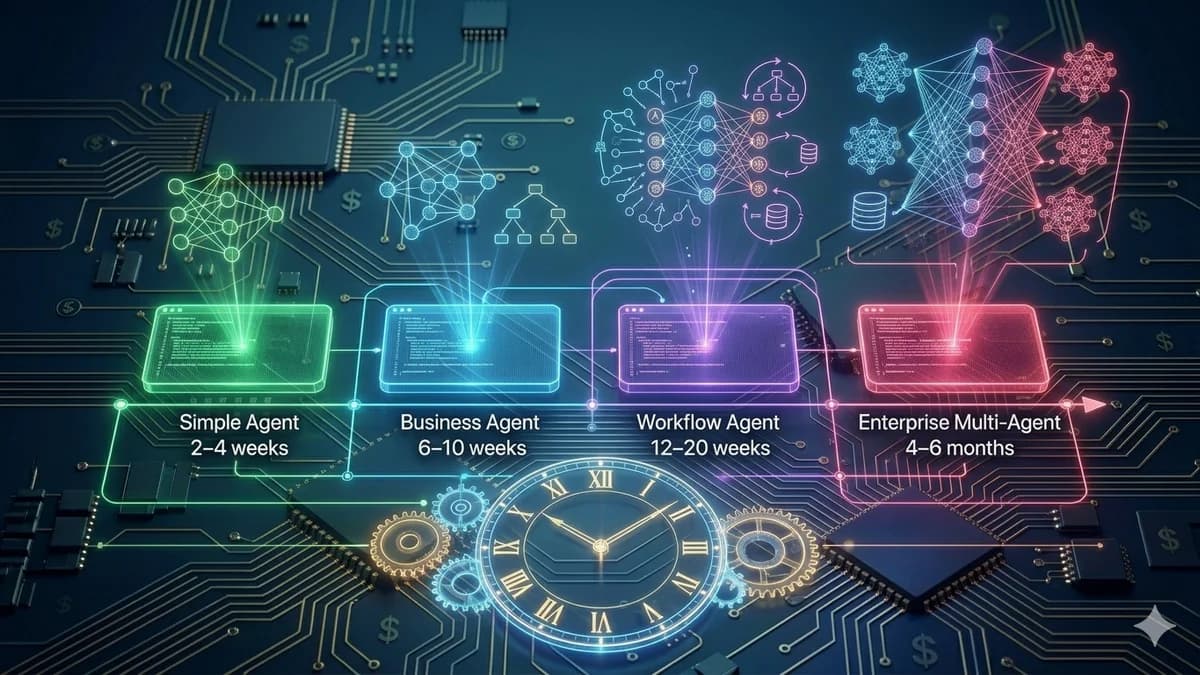
Our automation builds have replaced 2–4 full-time staff from manual processes in some cases (B2B lead qualification agent, 11 weeks), automated 10,000+ customer conversations at 95% CSAT (Cerebra Caribbean), and fully automated multi-phase communication workflows across 4 previously manual processes (education consultancy session agent, 14 weeks). Browse our case studies, read client testimonials, and explore our full AI services portfolio including AI agent development, AI chatbot development, and generative AI development.
Know which workflow you want to automate? Ready to scope it?
Book a free 45-minute call. We will run through the readiness matrix with you, identify your highest-ROI target, and give you a scoped timeline and cost estimate — before you commit anything.